Spin the Wheel
Members earn spins by completing missions you set. Each spin lands on one of your prizes, and streak milestones can multiply its coins and XP for members who keep spinning.
Last checked 29 Sep 2026
- Category
- Earn. The wheel gives coins out; members do not spend coins to spin.
- Your cost comes from
- Coin and XP prizes multiplied by the member's streak multiplier, plus fulfilling any prizes that are not coins.
- Rewards are credited
- At the moment of the spin (after claim details, if the prize asks for them).
What members see#
Members open the wheel in your community or in a portal where you have made it available. The loop is short:
- Complete a spin mission, for example a daily visit or a trading task you configured.
- Receive a spin for that mission period. Spins wait on the wheel until they are used or expire at the end of their mission period.
- Spin the wheel. It lands on one of your prizes.
- Win the prize. Coins and XP are credited when the spin is processed, unless the prize has claim fields; then the member submits the claim form first.
- Spin again in the next qualifying period to continue the streak. The multiplier only rises when the streak reaches one of your milestones.
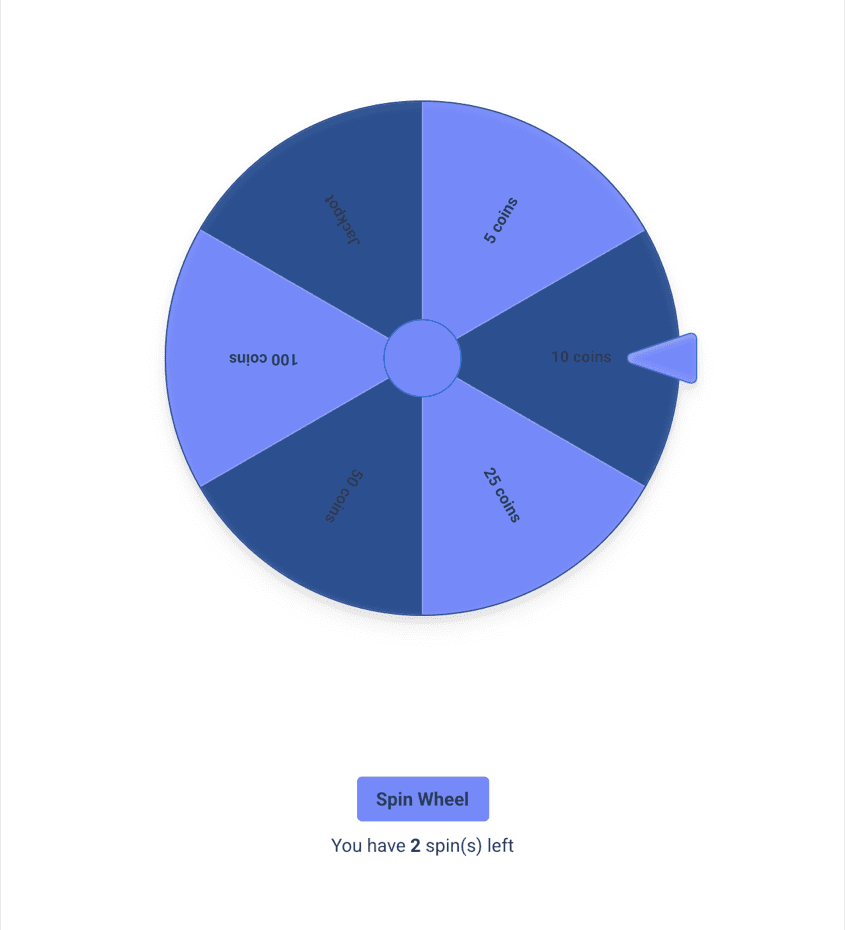
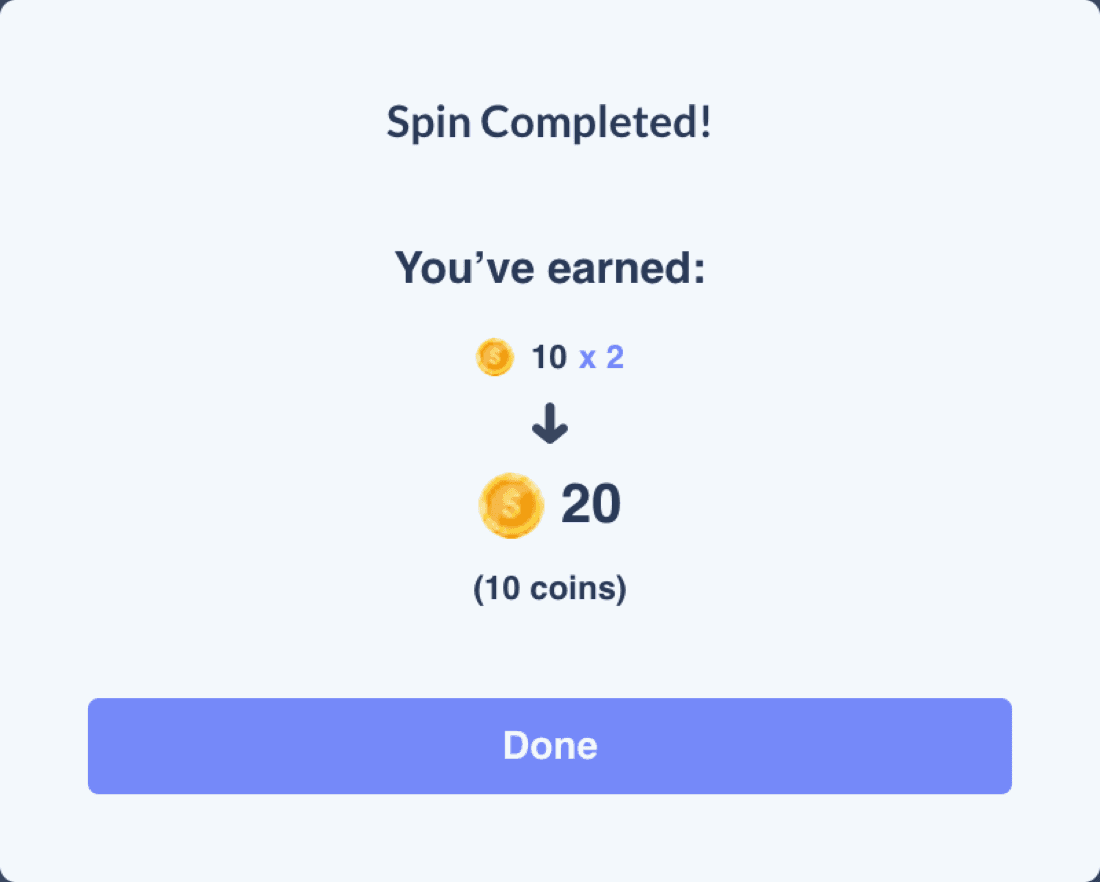
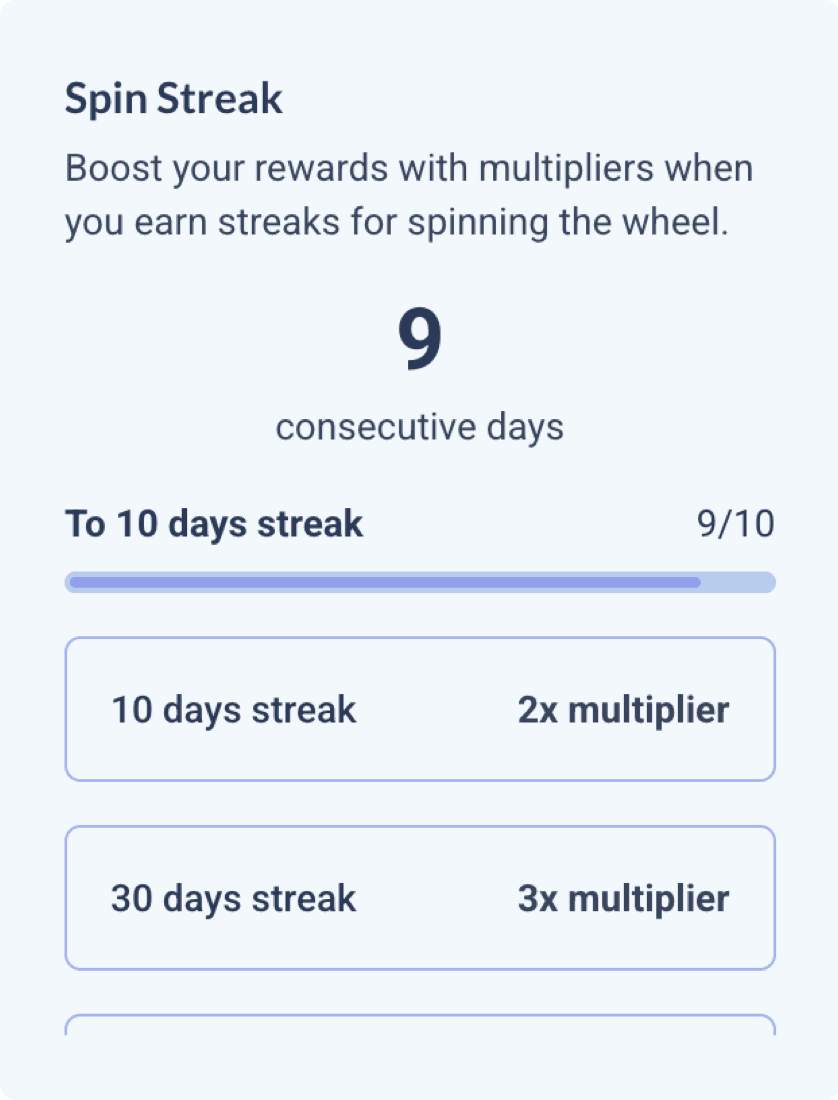
Screenshots come from a test community with synthetic prizes.
What you control#
You configure the wheel in the admin panel. These are the settings that matter when you plan the coin economy.
| Setting | What it does |
|---|---|
| Spin missions | The tasks that give members spins. Each mission gives a member at most one spin per mission period (daily, weekly or monthly). A mission can track Daily Visit, Total XP, Total Coins, Messages Sent, Replies Sent, Reactions Sent, a community streak, or a custom field such as trading volume. Combine conditions with AND or OR. |
| Prizes | Each prize has a name, a coin and/or XP reward, a weight and an on/off switch. At least two prizes must be on. |
| Prize weight | Sets how often a prize lands, relative to the other prizes that are on. |
| Claim details | A prize can ask the member to fill in details before it pays out. |
| Prize webhook | A prize can notify your systems when it is awarded or claimed, for example when your team must fulfil a prize that is not coins. The notification does not deliver the prize itself. Ask your success manager about setup. |
| Spin streaks | Streak period (daily, weekly or monthly), active days, and streak milestones with a multiplier each. |
| Timezone | When each day, week or month starts and ends for missions and streaks. |
| Who can see it | Choose the roles or members who should see the wheel. Saving does not prove viewing access; reopen the permissions and check the wheel as an intended member. |
| Styles | Wheel colours and win animation for light and dark themes. |
Activate and check the wheel
Save the wheel configuration, then save its page with Set As Active switched on. These are separate saves. Reload the game and check that its missions, prizes, viewing access and active state are still correct.
Fixing a member's spins or streak
Spins can be added and streak counts adjusted through the published API or with help from your success manager. There is no admin screen for this yet. Adjusting the streak count does not repair its continuity: if the member has not spun in the current or previous period, their next spin can start the streak again. Check the result after any correction.
How a spin is decided#
- A prize's chance is its weight divided by the total weight of all prizes that are on. Prizes that are off, or have a weight of zero, are never picked.
- A streak counts days in a row with at least one spin (or weeks or months if you choose those periods), not spins. Three spins in one day count as one day.
- The multiplier applies from the spin after the streak reaches a milestone. With a daily streak and 10 days = 2x, the spin that takes the streak to 10 (the first spin on day 10) still pays 1x. Later spins pay 2x until a higher milestone applies or the streak breaks.
- The multiplier multiplies both coins and XP, rounded to two decimals.
- Only the highest milestone reached applies. Milestones do not stack.
- Missing a qualifying period breaks the streak, and the next spin starts it again at 1. For daily streaks, days you switch off (inactive days) are skipped. For weekly or monthly streaks, the member must spin on an active day within each period.
- A spin from a mission expires at the end of that mission's period: midnight for a daily mission, the end of Sunday for a weekly one (weeks run Monday to Sunday), and the end of the month for a monthly one, in the wheel's timezone.
- Spins added by Returning.AI or through the API do not expire.
- Coins and XP are credited when the spin is processed. If the prize has claim fields, they are credited after the member submits the claim form.
Reading the cost
Your expected coin cost per spin is the chance-weighted average of your coin prizes, times the member's streak multiplier. Real payouts vary spin to spin, and prizes that are not coins have their own fulfilment cost. Members on long streaks cost the most, so set milestones with the planner below.
Ways to use it#
Four ways to set it up. Each uses the example economics on this page; change the numbers in the planner to fit yours.
Daily engagement
Daily habit wheel
1 spin / dayfrom a Daily Visit mission
- A daily mission on Daily Visit gives one spin a day.
- Mostly small prizes with a rare jackpot keep the average near 23 coins a spin.
- Streak milestones at 10, 30 and 90 days reward coming back.
Suits Any community that wants members to open the portal every day.
Watch Loyal members get expensive: at 4x the same wheel averages 91 coins a spin.
Trading focus
Trade-to-spin
1 lot or morea trading field unlocks the spin
- A daily mission on a custom field that counts lots traded that day.
- Spins arrive when your trading data syncs, not at the moment of the trade.
- Pair with a bigger jackpot, since each spin already follows real volume.
Suits Brokers who want every reward tied to trading activity.
Watch Use a field that counts the period's trading, not a lifetime total, or earlier volume can count.
Retention
Weekly comeback wheel
1 spin / weekweekly mission and weekly streak
- Weekly missions and a weekly streak period suit less active members.
- Spins expire at the end of Sunday, so members return each week.
- For example, milestones at 4, 8 and 12 weeks reward a steady quarter.
Suits Members who trade weekly rather than daily.
Campaigns
Launch or event wheel
2-4 weeksswitched on for a campaign
- Switch the wheel on for a launch, a holiday or a trading competition.
- Add a non-coin prize with claim details, delivered by your team.
- Switch it off when the campaign ends; the definition is kept.
Suits Seasonal pushes and new-member launches.
Watch Running several campaign wheels at the same time is not yet verified; see Not supported yet.
Planning your economics#
Change prizes, weights and milestones and watch the cost of one loyal member. The defaults reproduce the example: an average of 22.75 coins a spin at 1x, and 7,962.5 coins for a member who spins every day for 120 days.
Planning tool · not the admin panel
One member's 120 days
Set your prizes and streak milestones. Everything recomputes as you type, so you can see what one loyal member costs you before you launch. These are expectations: real results vary.
Expected coins for one member, 120 days
7,962.5
≈ $39.81 at $0.005 per coin
- Average per spin at 1x
- 22.75 coins
- Average per spin at 2x
- 45.5 coins
- Average per spin at 3x
- 68.25 coins
- Average per spin at 4x
- 91 coins
- Most one spin can pay (top prize at 4x)
- 2,000 coins
- 5 coins40%
- 10 coins30%
- 25 coins15%
- 50 coins10%
- 100 coins4%
- Jackpot · 500 coins1%
Members see equal-sized slices. The planner sizes slices by chance so you can see the odds.
Scrub through the 120 days
A member who spins once every day. Milestones apply from the spin after they are reached, so day 10 still spins at 1x and day 11 at 2x.
| Days | Multiplier | Expected coins | Cumulative |
|---|---|---|---|
| Days 1-10 | 1x | 227.5 | 227.5 |
| Days 11-30 | 2x | 910 | 1,137.5 |
| Days 31-90 | 3x | 4,095 | 5,232.5 |
| Days 91-120 | 4x | 2,730 | 7,962.5 |
Expected coins per spin: each prize's chance times its coins, added up, then times the streak multiplier. The 120-day total adds up one expected spin per day.
Simulated spins only: no member spins or rewards are used. Run it a few times to see how results spread around the expectation.
Example assumptions, not a rate card: 100 coins per FX lot and $0.50 of reward value per lot make 1 coin ≈ $0.005. Change the coin value to match your programme; see Coin economics.
Timing and limits#
- Unused mission spins expire at the end of the mission's period (see How a spin is decided).
- Spins earned from trading-based missions arrive when trading data syncs, so they can lag trading activity.
- Prizes without claim fields are credited when the spin is processed. Prizes with claim fields wait until the member submits the form.
- Missions track activity while the wheel is active. Activity before activation is not replayed, but a later update to a running total (for example lifetime lots) can include earlier activity. Use a field that counts only activity after launch when that matters.
- The timezone you pick follows daylight saving for that region (for example, Central European Time follows Berlin). There is no UK option: UTC/GMT stays on UTC all year.
If a member is missing a spin
Check the specific wheel and date. Confirm whether the mission qualified, a spin was awarded, and that spin was used or expired. Trading volume alone does not prove that a spin is available now.
Not supported yet#
- Not confirmed
Several campaign wheels at once
Each wheel keeps its own spins, streaks and prizes, but a member journey with several campaign wheels active at the same time has not been verified. Confirm the setup and how members see it before planning a multi-wheel campaign.
- Not supported
An admin screen to fix a member's streak
Streaks and spins can be corrected through the API or by your success manager.
For your developers#
Share these with the team that maintains your integration. For how trading data reaches missions, see Trading volume and rewards.
Example prizes, reward rates and planner figures are synthetic planning assumptions, not Returning.AI defaults or a rate card. Configuration limits and stated admin defaults are identified in the guide.