Raffles
Members spend coins on numbered tickets during a raffle run. Valid tickets are drawn at random shortly after the run closes. The community's ticket total decides which prize tier can pay out.
Last checked 29 Sep 2026
- Category
- Spend. Members exchange coins for raffle tickets, reducing their available coin balance.
- Your cost comes from
- Prize procurement and fulfilment, the highest reached goal's payouts, and mystery prizes.
- Rewards are credited
- Final-prize coins and XP when the winner claims. Mystery prizes without claim fields at purchase.
What members see#
Members open the raffle in your community or in a portal where you have made it available. The steps are:
- Buy numbered tickets with coins, singly or in a bundle.
- Reveal tickets by scratching or flipping. A mystery box may pay an instant bonus; every ticket still enters the final draw.
- Watch the community goal climb as tickets are issued. You choose each goal's prize pool; higher thresholds do not automatically create more valuable prizes.
- When the run closes, buying stops and members see Draw pending. The draw is processed shortly afterward; results then appear through a countdown and draw animation.
- If they win, press Claim. A physical prize can ask for delivery details.
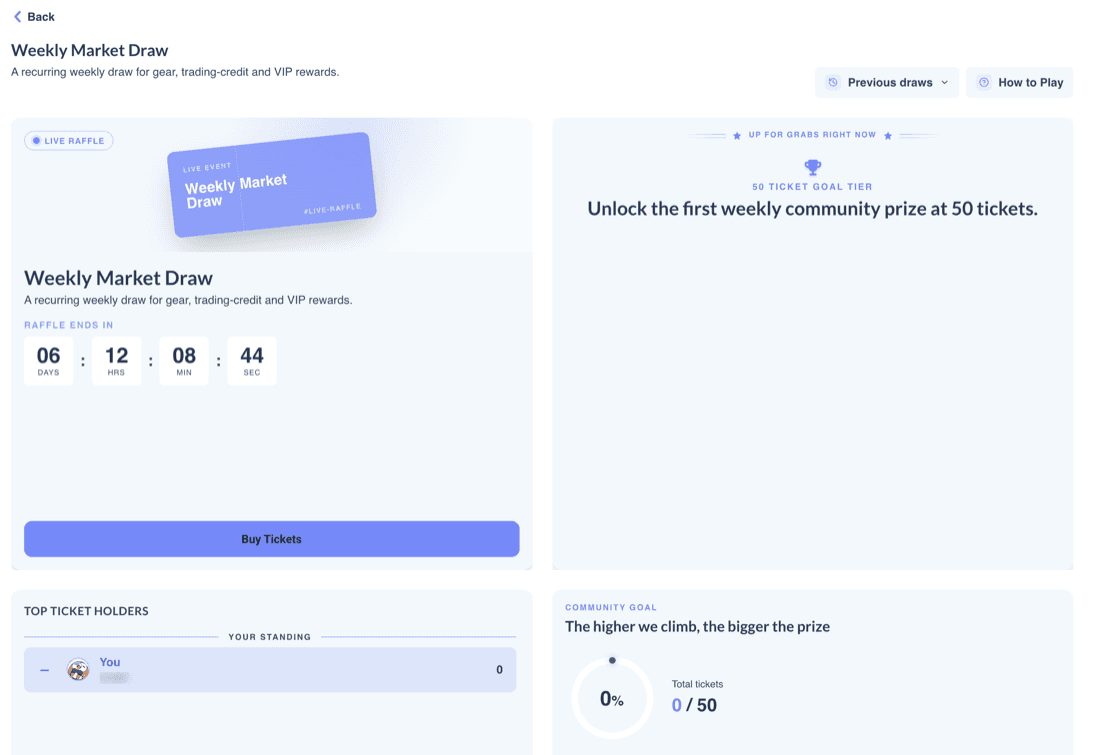
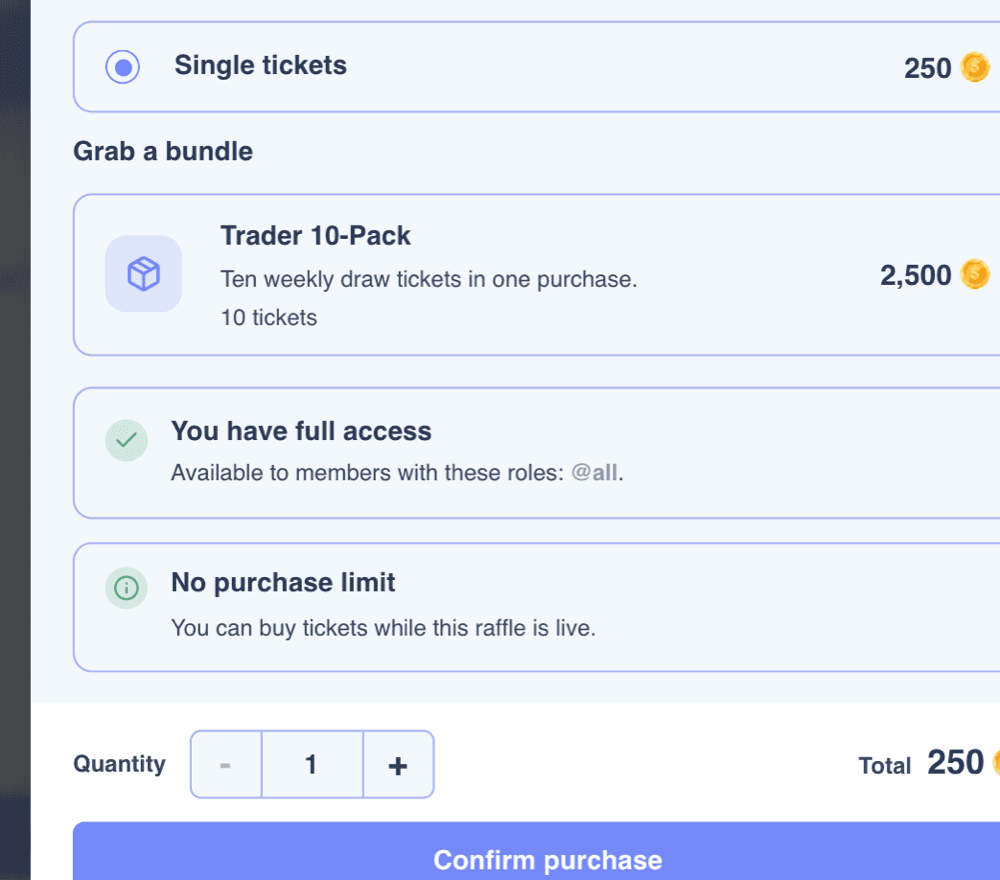
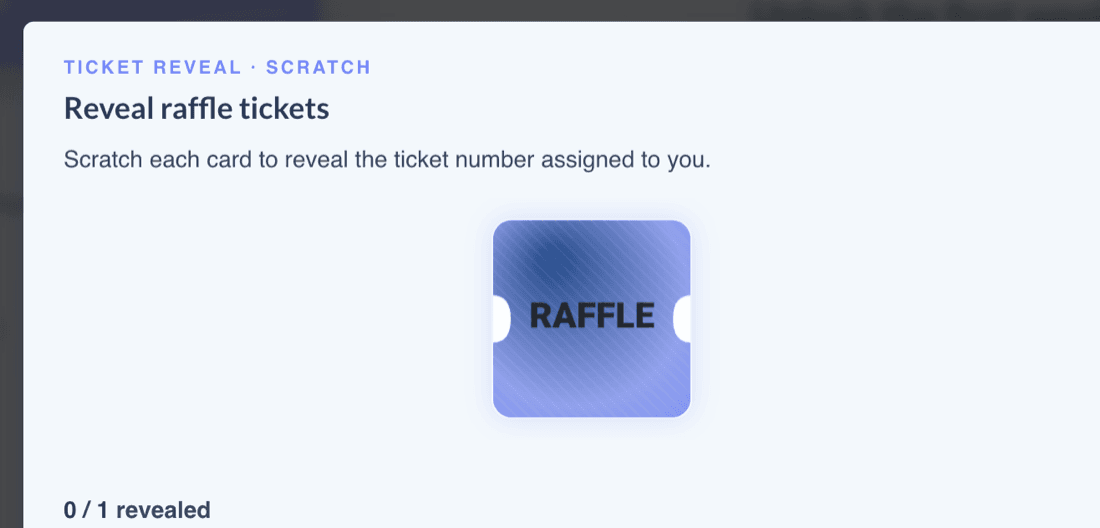
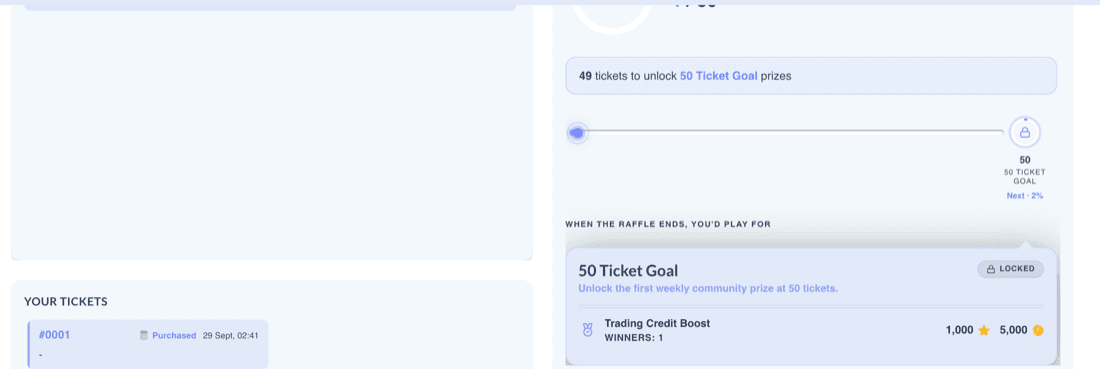
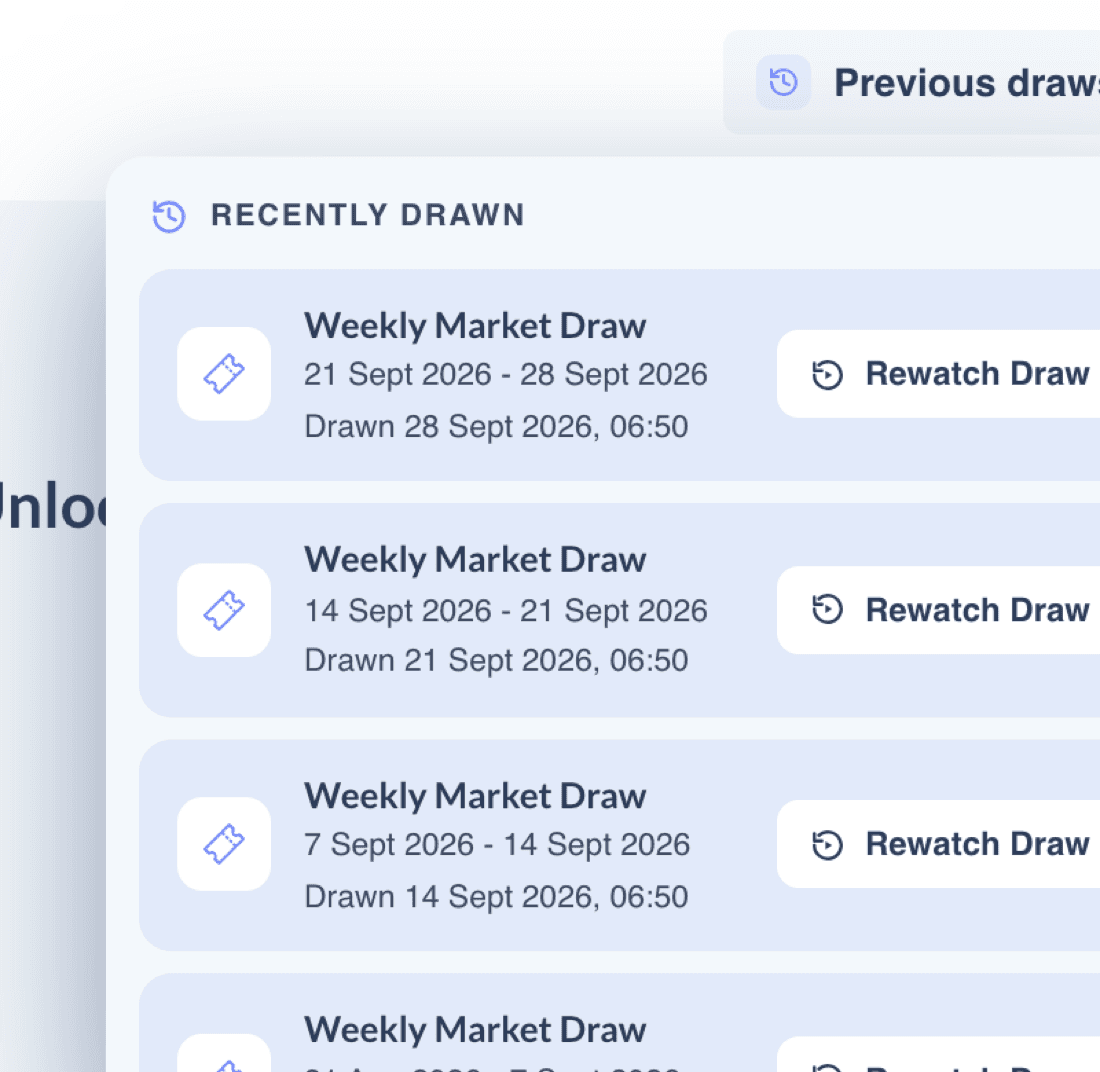
Product screenshots show example prizes. Member details are blurred.
What you control#
Configure a raffle under Mini Games in Settings, Ticket Management, Goals & Prizes and Appearance.
| Setting | What it does |
|---|---|
| Raffle Name · Description | The member-facing name and text. Both are required to activate. |
| Schedule · Timezone | Fixed runs or recurring Weekly and Monthly runs. Weekly runs open Monday; monthly runs open on the 1st. A named timezone controls cycles and follows daylight saving. |
| Purchase limits | Set viewing access and optional purchase limits by role or member. Member-specific rules take precedence over role rules; a conflict strategy resolves rules at the same priority. The common viewing permission also applies. Only bought tickets use limits. |
| Animations · Draw Countdown | Scratch or Flip ticket reveal, Slot or Fan draw, and a 1–59 second countdown. |
| User information display | Show full or partial winner details and optionally profile pictures. |
| Ticket price · Discount | Whole coins per ticket. A lower price can run for whole calendar days. |
| Bundles | Packs of 1–1,000 tickets, optionally discounted. A bundle can guarantee at least one mystery prize when a valid pool with a positive prize chance is configured. |
| Mystery box pool | Instant prize chances on bought tickets. The chances can total up to 100%; the remainder pays nothing. You can also apply rolls to mission tickets. |
| Raffle Missions | Award free tickets for member activity once per chosen daily, weekly or monthly period. Missions continue when sales are paused. |
| Pause ticket sales | Disables buying. Existing tickets stay in the draw. |
| Community goal · Prize tier | A ticket threshold, prizes, winner counts, optional claim fields and an optional claim notification. At least one enabled goal is needed to activate. |
| Appearance | Theme, banner, Buy button and arrangement of member-page modules. |
| Award Raffle Tickets and Mystery Prizes | Grant tickets or mystery prizes to one member from the User List. Grants count toward goals without using purchase limits. |
| Raffle History Log | Per-run tickets, participants, goals and winners, with a winners CSV. |
How it works#
Buying tickets
- Tickets cost coins only. Bundles can be cheaper per ticket. A checkout can contain up to 3,000 tickets.
- Only bought tickets use a purchase limit. Mission and admin-granted tickets do not.
- A purchase consumes the earliest-expiring coins first. Retrying the same checkout with the same request key and details does not charge again; a new checkout is a new purchase. An insufficient balance blocks the purchase.
Ticket goals
- All tickets count toward goals: bought, earned through missions and granted by an admin.
- Free tickets can unlock a higher tier without any additional coins being spent.
Only the highest goal reached pays out
Goal prizes do not stack. If no goal is reached, no final prize is drawn. Completed purchases are not refunded because no goal is reached, sales are paused, or a member changes their mind. A failed checkout can return coins deducted for that attempt. Mystery prizes already won remain won.
The draw and claim
- The draw is processed shortly after the run closes. It randomly ranks valid tickets and selects winners from the highest reached goal's prize pool.
- Every valid ticket has the same chance of selection, regardless of its owner's role or tier. A member's chance of at least one prize depends on their tickets, the number of prizes and total valid tickets. Odds are not shown to members.
- A ticket can win only one prize. A member can win more than once through different tickets. Unfilled winner slots stay empty.
- Winners must press Claim. Final-prize coins and XP are credited when the winner claims, with no claim deadline. For a physical prize, your team collects the claim details and delivers it. A draw record is retained.
Check your local rules
Coin-paid prize draws may be regulated differently across jurisdictions. Check with your compliance team before launching one.
Ways to use it#
These example setups use 1 coin ≈ $0.005. Change the values in the planner for your programme.
Weekly habit
Weekly market draw
250 coinsper ticket
- Recurring weekly run with a goal chosen from expected participation.
- Ten 5,000-coin prizes plus a headline prize.
- Intended to give members a reason to return each week.
Suits A broad retail audience.
Watch Budget for reached goal prizes, headline fulfilment and mystery prizes each week.
Flagship campaign
Monthly big-ticket prize
5,000tickets for Gold
- Three goals lead to a physical headline prize.
- Collect claim details and fulfil the item yourself.
- Use the ticket-value comparison to plan the threshold.
Suits Brands planning a monthly campaign.
Watch A flagship is awarded only if its goal is highest reached. Budget for procurement, fulfilment and free tickets; coin value is not cash revenue.
Collective target
Community goal push
200tickets to next tier
- Show progress to the next goal.
- Use discounted bundles to make participation easier.
- Optional mystery prizes give instant feedback.
Suits Communities that respond to a shared target.
Watch Bundle discounts and mystery prizes change the net coins removed.
Open access
Ticket-earning missions
2 freetickets per member
- Give 2 tickets for completing a visit mission in a weekly period.
- Give 5 when a correctly maintained trades counter reaches 10.
- Free tickets enter the draw and advance community goals.
Suits Keeping non-spenders involved.
Watch Confirm the exact mission conditions before launch. In the planner, two free tickets per member unlock Gold without new coin intake.
VIP
Tier-exclusive raffle
1 rolewith buying access
- Set broad access to View Only.
- Give the selected role Full Access.
- Optionally cap its purchases.
Suits A funded or high-volume tier.
Watch A smaller pool raises prize value per ticket.
Fair play
Capped draw
10bought tickets per week
- Cap bought tickets within each limit period.
- Separate role rules can set different limits.
- Mission and admin-granted tickets remain outside the cap.
Suits Communities seeking a purchase cap.
Watch A run can span several limit periods. Effects on participation and coin spend depend on member behaviour.
Seasonal
Launch event
2 weeksfixed run
- Run once over a campaign window.
- Offer a lower price in its first days.
- Finish with a scheduled draw.
Suits Launches and anniversaries.
Watch Discount days end at midnight in the raffle timezone.
Planning your economics#
At the defaults, 4,800 tickets reach Silver: 1,140,000 coins collected and $850.00 in prizes. Add two free tickets per member and Gold unlocks with the same coins collected.
Planning tool · not the admin panel
The raffle planner
Change ticket price, free tickets and goal prizes to see which tier unlocks and its estimated prize value.
Coin face value removed from balances
1,140,000 coins
≈ $5,700.00 of coin value, not cash revenue · 11,400 FX lots at the example rate
- Average paid-ticket price
- 237.5 coins
- Goal unlocked
- Silver
- Modelled highest-goal prize value
- $850.00
- Share returned in final prizes
- 14.91%
- External prize value (entered)
- $600.00
- Mystery coins (expected)
- 0
- Mystery maximum
- 0 coins
- Other fulfilment
- Not modelled
- Net coins removed (expected)
- 1,090,000
Goal ladder · current tickets shown by the marker
Mystery expected payout: 0 coins per eligible ticket. The maximum assumes every eligible ticket wins the largest configured mystery prize. A guaranteed bundle adds about 0 coins per bundle, or 0 coins across the expected bundle purchases. Shipping, taxes, handling and other fulfilment costs are not modelled.
Ticket-value comparison per goal. This uses an estimated coin value, not cash revenue. Budget procurement commitments and other costs separately.
| Goal | Threshold | Tickets at prize value | Cost |
|---|---|---|---|
| Bronze | 1,000 | 211 | $250.00 |
| Silver | 2,500 | 716 | $850.00 |
| Gold | 5,000 | 3,243 | $3,850.00 |
Coins collected = singles times ticket price, plus bundles times bundle price. The highest ticket threshold reached sets the final prize. Every valid ticket has the same chance of selection. Your chance of at least one final prize depends on your tickets, prize slots and total valid tickets.
Final prize value per ticket: $0.18 against $1.19 of coin value spent per paid ticket. This is a planning comparison, not a cash return.
Member odds and expected prizes are planning figures. The product does not show chances to members. Final-prize chances do not include mystery prizes.
Example assumptions, not a rate card: 100 coins per FX lot and $0.50 of reward value per FX lot make 1 coin ≈ $0.005. Mystery-prize values are shown separately from the final goal prize.
Timing and limits#
- Fixed runs use dates you choose. Recurring weekly runs open Monday; monthly runs open on the 1st. The run closes at its scheduled end. Buying stops and members see Draw pending. The draw is processed shortly after the run closes; timing varies.
- The raffle timezone controls cycles, discounts, limits and mission periods. It follows daylight saving.
- Once a run starts or has tickets, its start cannot change. Before sales close, its end can change to another future time, including an earlier one. Publish a stable schedule before members buy.
- Discounts cover whole calendar days. Mission periods start with the run, and missions only count activity during a live run.
- One checkout holds at most 3,000 tickets; a run at most 10,000,000 ticket numbers. Bundles hold 1–1,000; admin grants at most 1,000 at a time.
- Claims have no deadline. Between recurring runs, members see the countdown to the next one.
Not supported yet#
- Not supported
Other ticket currencies or custom prize currencies
Tickets cost coins. Custom prize currencies are not enabled.
- Not supported
Member cancellation, completed-purchase refunds or stacked goals
Completed purchases are not refunded, including when no goal is reached. A failed checkout can return coins deducted for that attempt. Only the highest reached goal pays.
- Not supported
Weighted odds or member-visible odds
Each ticket has equal chance. Members do not see odds.
- Not supported
Tag access and flexible recurring start days
Tag-based raffle access and purchase-limit rules are not available; use roles or member-specific rules. Weekly runs open Monday and monthly runs on the 1st.
- Not supported
Ticket and claim controls in the admin screen
There is no admin screen to void tickets, rerun a draw, change winners, set a claim deadline or manage claims.
- Not confirmed
Editing prizes during a live run
Avoid changing goals or prizes after tickets exist until the effect on the final draw is confirmed.
Other limits
A custom draw delay and per-run or all-time purchase-limit periods are not available in the admin panel.
For your developers#
These published pages help your integration team connect activity and review raffle logs. There is no published raffle-specific API or prize-claim notification page; ask your success manager about claim notifications.
Example prizes, reward rates and planner figures are synthetic planning assumptions, not Returning.AI defaults or a rate card. Configuration limits and stated admin defaults are identified in the guide.