Leaderboards
Rank members by a metric over a time window: trading volume, XP, referrals or community activity. Boards can reset on a schedule and process prizes after each period closes.
Last checked 29 Sep 2026
- Category
- Engage. Members do not spend coins to enter. Budget separately for prizes and any platform or operating charges in your agreement.
- Your cost comes from
- Prize coins, XP benefits and any non-coin prizes you fulfil.
- Rewards are credited
- After period close-out processing, unless required details hold the prize until claim.
What members see#
Members find the board in your portal or as a widget. They can:
- Trade, earn XP, refer friends or post in the community, depending on the metric.
- Follow the podium, ranking table and time windows you allow.
- Find their own rank, the gap to the next member and any tie notice.
- After a period closes, see the final rank and prize. Coin and XP prizes credit after processing unless required claim details hold them until claim.
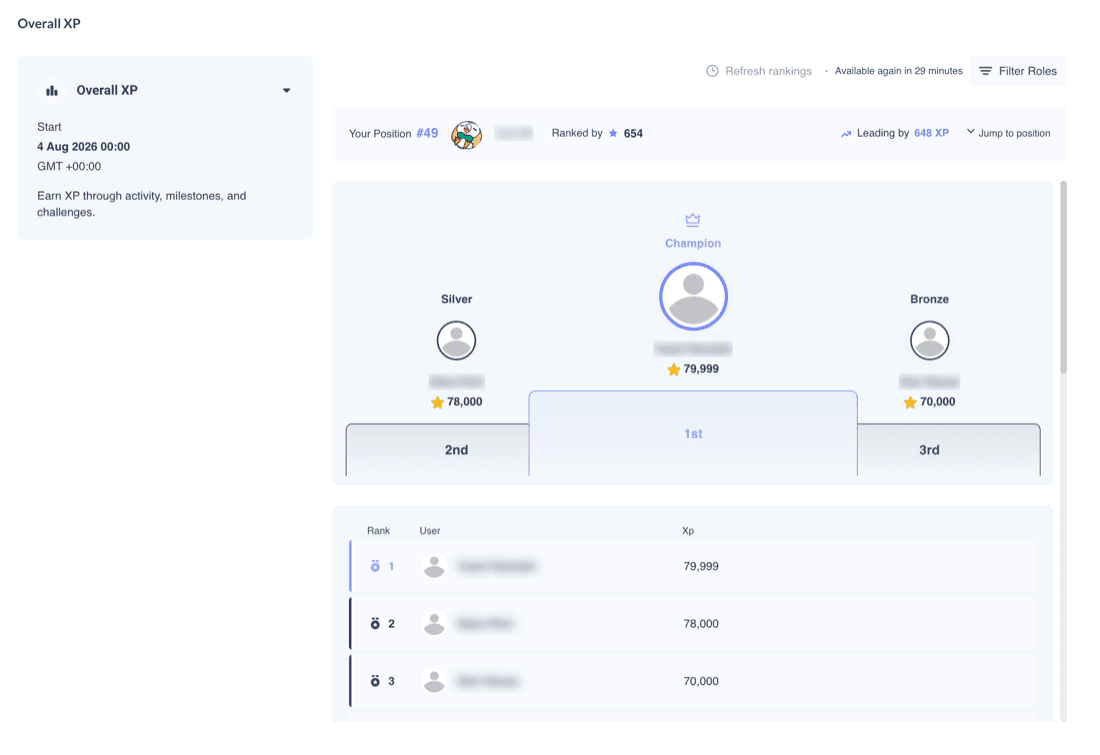
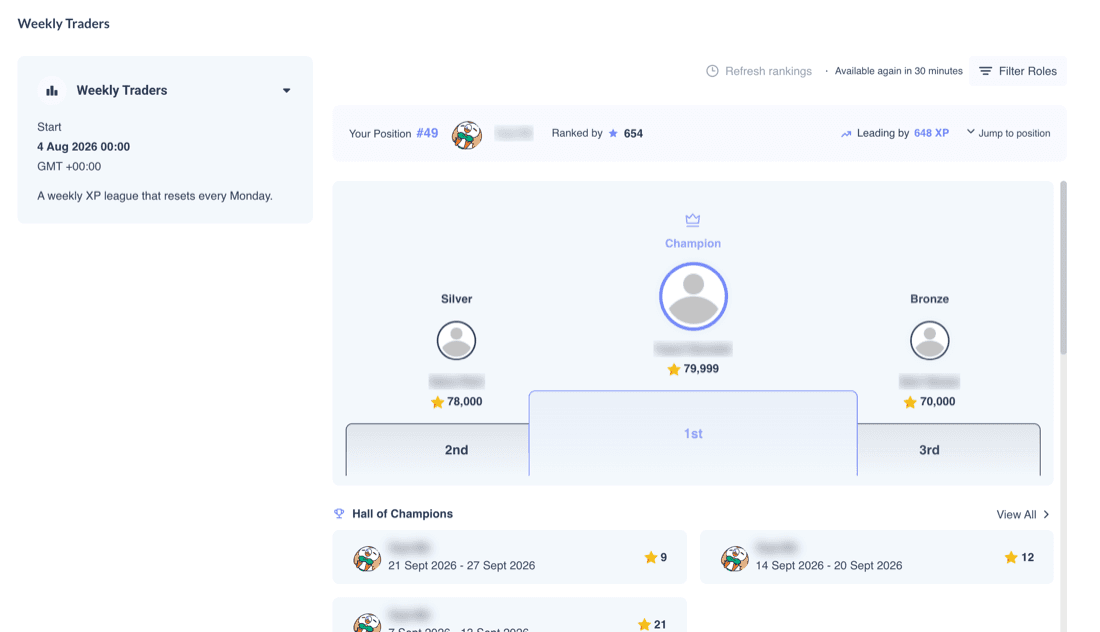
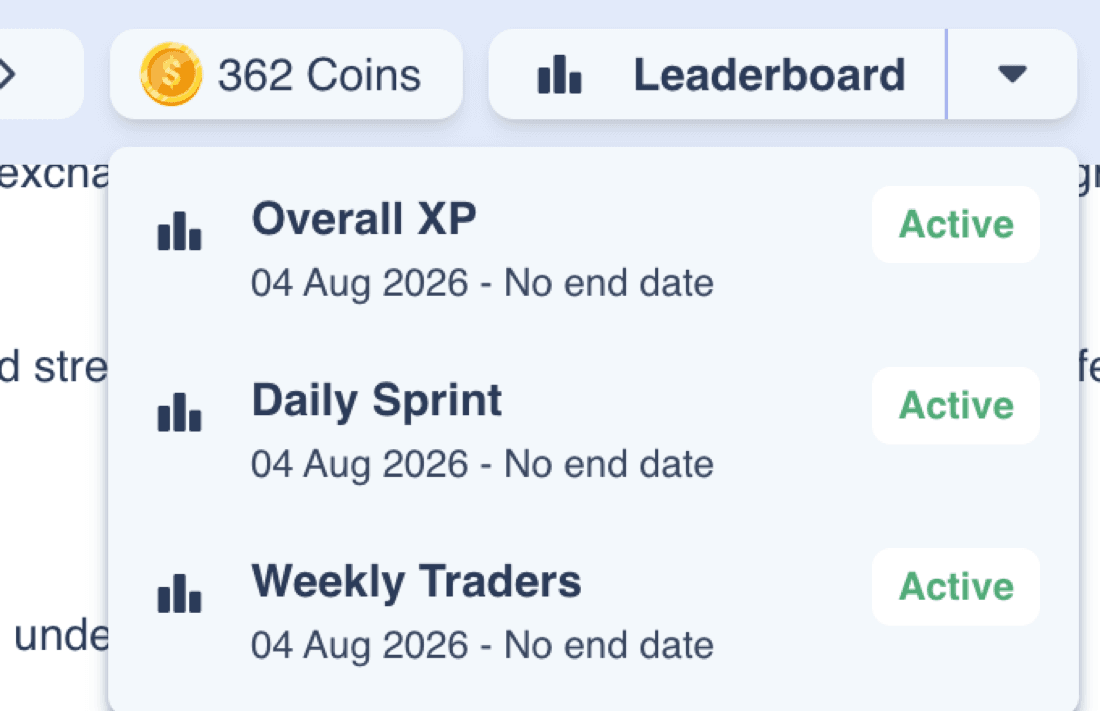
Product screenshots use a test community with member names blurred.
A new member sees a prompt to score before appearing. Members with a score of zero are not ranked. After a period ends, a winner can review the prize or submit required details. Optional claim fields do not delay coin or XP crediting. Past winners appear in the Hall of Champions after a reset. If Show Top Results is on, rows beyond the selected rank are blurred, but each member can still see their own row.
What you control#
Configure boards in Community settings under Leaderboards. You can reorder boards; the first is the main one.
| Setting | What it does |
|---|---|
| Icon · Name · Image · Description | The board's identity. Name and Description are required. |
| Metric | XP, Coins, Referrals, Messages Sent, Replies Sent, Analysis Created, Analysis Comments or any Number user field, such as lots traded. |
| Timezone | A fixed UTC offset. It does not follow daylight saving. |
| Start Date · Start Time | When the board starts. Start Time also sets the reset time for every period. |
| End Date · End Time · No end date | When the board finishes. With no end date and no reset, prizes never pay. |
| Refresh interval | Full ranking recalculation, every 60 minutes by default; minimum 30 minutes. |
| Enable Leaderboard Reset | Daily, weekly, monthly or yearly periods. Weekly resets are Monday; monthly on the 1st; yearly on 1 January. |
| Enable Prize Pool · Assign Prize | Single ranks or non-overlapping ranges from 1 to 100. Each rank gets the full prize. The admin offers up to 99,999 coins and 99,999 XP per rank. Only required claim fields delay coin and XP crediting; optional fields do not. |
| Leaderboard Access | Per role, tag, user or role combination: Cannot View, View Only or View and Appear in Rankings. |
| Display Fields · User Information | Ranking columns and full or partial member details. |
| Show Top Results | Only the top N rows appear clearly; lower rows are blurred, except that each member can still see their own row. |
| Leaderboard Page Configuration | Choose time tabs, banner, countdown, prize pool, podium, Hall of Champions and panel order. |
| Leaderboard History Log | Ended periods with ranks, metrics, rewards and claim answers, filterable and downloadable as CSV. |
| Active · Duplicate · Delete | Custom boards can be disabled, duplicated or deleted. The Default Leaderboard cannot be deleted. Deleting a board does not reverse credited coins or XP; export records and resolve outstanding prizes first. |
| Notifications | Your systems can be notified of board events. Ask your success manager for setup; no published developer page covers these notifications. |
Before you save
Pick a metric and at least one display field. A new board starts with both dates set to today, so set a valid window.
How it works#
How a period score is counted
- Scores use records for the selected metric in the period. Number fields, coins and XP use recorded values; messages and other activity use qualifying counts. Referrals use completed invitations dated in the period.
- For coins, XP and Number fields, a recognised overwrite inside the period restarts the score from that value. Use increases for per-trade volume. A period-total overwrite must match the board period; a monthly total would include earlier weeks on a weekly board.
- Trading-field, coin and XP histories use their recorded write time, not the trade time. Late writes can count in the next period. Send and verify the final batch before reset. Referrals use the recorded joined date. A zero score does not rank.
- Spending coins in the Store can lower a Coins board's period score after recalculation, subject to a later overwrite. Verify this end to end in your community before a Coins competition.
Resets and recalculation
- Periods reset daily, each Monday, on the 1st or on 1 January at the configured Start Time and fixed UTC offset. First and last periods can be partial.
- The offset does not adjust for daylight saving. A reset can move by one local hour when clocks change.
- Rankings recalculate every 60 minutes by default, with a 30-minute minimum. Members see the last update time. Some recent changes can appear between full recalculations.
Ties and prizes
Tied members can see a tie notice but receive distinct positions. Prizes follow those positions, so tied members can receive different rewards. Equal prizes inside a range remove differences only within that range; ties at its edges still matter. Explain the platform tie ordering in your terms. Terms do not change it.
Paying prizes
- Coins and XP without required claim fields credit after period close-out processing. Required fields hold them until claim. Processing time varies. A board without an end date or reset does not pay prizes.
- Earlier periods are not backfilled when history processing first activates. Already finalised periods are not repriced when prizes are enabled later. The prize table at close-out pays for that period. Empty ranks do not pay.
- XP prizes may unlock tier benefits. You can name externally fulfilled prizes and collect claim details. Your team or integration delivers vouchers, devices, trading credit or funds. Budget actual fulfilment cost separately; face value may differ from your cost.
Who sees the board
Cannot View overrides other grants. View Only allows someone to watch without ranking. Only members allowed to View and Appear in Rankings can win.
Check trading-result rankings
A Number field could hold profit or another trading result. Ranking or rewarding such results may be restricted in some jurisdictions. Check with your compliance team before using one.
Ways to use it#
These setups use example rates of 100 coins per FX lot and $0.50 of reward value per FX lot. Dollar figures for coin prizes use the example coin value; budget XP benefits and externally fulfilled prizes separately.
Trading
Weekly volume race
50,000coins per week
- Rank a Number field increased with each trade or batch.
- Pay ranks 1–3 and one equal range for 4–10.
- Reset each Monday for a fresh scoring window.
Suits An active trading audience.
Watch Send and verify volume before reset. Prizes add to base lot rewards. A new period does not guarantee a win.
Daily
Daily sprint
$24.50per day
- Reset each morning with a fresh podium.
- Use a small 2,000 / 1,000 / 500 coin ladder.
- Ranks 4–10 each receive 200 coins.
Suits A short daily activity cycle.
Watch A small daily prize ladder can still total about $745.21 a month at the example rate.
New members
New-trader sprint
50prize ranks
- Use a fixed month-long window; remove the default everyone-ranks entry.
- Grant View and Appear in Rankings only to the New trader role or tag; leave others unmatched or View Only.
- Rank volume or XP; pay ranks 1–50 1,000 coins each.
Suits A new-member cohort.
Watch Do not add an everyone Cannot View rule; it also blocks the cohort.
Reactivation
Dormant-trader sprint
50prize ranks
- Freeze the dormant-trader cohort at launch and remove the default everyone-ranks entry.
- Use a one-off month with a post-launch volume field.
- Pay ranks 1–50 equally; members with zero score cannot win.
Suits A campaign for previously inactive traders.
Watch Grant the cohort View and Appear in Rankings. Leave others unmatched or View Only, and verify final volume before close-out.
Loyalty
Monthly XP season
$0.00direct coin cost with XP-only prizes
- Rank XP over a monthly period.
- Use XP prizes and the Hall of Champions.
- Give members a new season each month.
Suits Programmes with tiers.
Watch XP prizes can unlock tier benefits that have their own cost.
Segments
Tier-segmented boards
3 boards$3,250.00 in coin-prize value per month
- Make a board for each intended tier group.
- Maintain mutually exclusive group membership.
- Scale prizes by audience.
Suits Separate retail and VIP groups.
Watch Members may retain lower-tier roles. Check access overlap; costs multiply with boards.
Growth
Referral contest
1 monthfixed window
- Rank completed referrals.
- Pay the top five places.
- Collect claim details for a named non-coin prize.
Suits A referral campaign.
Watch Your referral programme may pay its own rewards too.
Testing
XP-only board
$0.00coin prizes
- Pick any supported metric.
- Set coin amounts to zero and award XP.
- Review participation before adding coin prizes.
Suits An initial competition.
Watch XP prizes can unlock tier benefits even when coin prizes are zero.
Community
Activity board
1 monthbetween resets
- Rank messages, replies or analysis.
- Set monthly coin or XP prizes.
- Moderate activity alongside rewards.
Suits A community with active discussion.
Watch Cost depends on paid positions and reward size. Avoid rewarding spam.
Planning your economics#
The example weekly ladder pays 10 ranks: 50,000 coins or $250.00 of estimated coin value per period. Reset frequency and the number of boards set the average monthly coin-prize value; a calendar month can have five weekly close-outs.
Planning tool · not the admin panel
Prize pool planner
Set the period, rank prizes and number of boards. The total updates as you change the ladder.
Average month (52/12 weeks)
$1,083.33
216,667 coins · 1 board
- Winners per period
- 10
- Coins per period
- 50,000
- Coin value per period
- $250.00
- Month with five close-outs
- $1,250.00
- Per participant per month
- $2.71
- XP per period
- 0
Ladder shape · coins per rank
Winners per period count every rank in each prize row. Coins per period add the full coin prize for each rank. The average monthly value uses 52/12 weekly periods and the number of boards. A calendar month with five close-outs costs more. For volume boards, prize uplift compares prize coins with base coins earned on lots traded.
Example assumptions, not a rate card: 100 coins per standard FX lot, $0.50 of reward value per FX lot, and 1 coin ≈ $0.005. This planner values coin prizes only. Budget XP benefits, external fulfilment and operating charges separately. Empty winning positions are not paid.
Timing and limits#
- Full rankings recalculate every 60 minutes by default; 30 minutes is the minimum.
- Shortly after a period closes, final rankings are recorded, the period is added to history and prizes are processed. Timing varies, so do not promise an exact payout time.
- Reset boundaries use Start Time in a fixed UTC offset. No daylight-saving adjustment.
- The editor allows prize positions 1–100 and up to 99,999 coins and XP per row.
- Required-field prizes remain unpaid until claim. No claim deadline was found.
- On first activation, history processing starts with the current eligible period. Earlier periods cannot be recovered by toggling reset or prizes. Configure and verify both before launch.
Not supported yet#
- Not supported
Automatic tie-split
Ties receive distinct positions. A prize at the cut-off can go to only one tied member.
- Not supported
Daylight-saving-aware timezone
The chosen UTC offset stays fixed year-round.
- Not supported
Prizes without a closing period
A board with no end date and no reset never pays its prize pool.
- Not supported
Backfill or platform fulfilment
Earlier completed periods are not backfilled on first activation; already finalised periods are not repriced later. Your team fulfils named non-coin prizes.
- Not supported
Claim deadline or prize clawback
No claim deadline or automatic clawback of paid prizes was found.
- Not confirmed
Number-field decreases
It is not confirmed whether a decrease lowers a volume score during a period.
- Not confirmed
Live close-out timing and scoped boards
Exact payment latency and campaign- or partner-scoped boards need confirmation.
Developer notification coverage
Board notifications have no published developer guide. Ask your success manager before planning an integration around them.
For your developers#
Your integration can write a Number field, such as lots traded, for volume boards. Use increases for per-trade feeds.
- List leaderboards
- Get leaderboard
- Create leaderboard
- Update an existing leaderboard
- Delete a leaderboard
- Create a user field definition
- Update a user field value
- Update user XP and currency
API schedule and Default Leaderboard changes
When changing a schedule through the API, have your integration resend the complete intended schedule. Omitted schedule settings return to defaults, which can change the timezone, start time or end behaviour.
Through the API, switching the Default Leaderboard on or off also switches the leaderboard feature for the whole community. Its ranking and viewing access must be changed in the dashboard.
Messages, replies and analysis metrics are selected in the admin panel. Ask your success manager about board notifications.
Example prizes, reward rates and planner figures are synthetic planning assumptions, not Returning.AI defaults or a rate card. Configuration limits and stated admin defaults are identified in the guide.